Free for macOS
A professional media player that sends Art-Net Timecode to your lighting console and can be fully controlled via DMX. Perfect synchronization for every show.
Everything you need for perfect light-audio synchronization
Play any audio or video file and simultaneously broadcast real-time SMPTE timecode over Art-Net. Your lighting cues will trigger with frame-accurate precision, perfectly synchronized with the music. Choose between 24, 25, or 30 fps frame rates to match your show's requirements.
Take full control of the player directly from your lighting console via Art-Net or sACN. Select tracks, start/stop playback, set repeat counts, and adjust volume — all without leaving your lighting desk.
Output video content to a second display in fullscreen mode. Apply real-time effects: brightness, saturation, RGB filters, and unique 3D time-offset effects for immersive visuals.
Multiple ways to integrate into your show
MacBook at the DJ booth. Operator plays tracks manually. Lighting console receives timecode automatically and triggers preprogrammed cues. No DMX input needed.
Control everything from your lighting console. Trigger tracks via DMX commands directly from your cue list. Perfect for touring shows.
Built-in web server. Anyone on the network can control playback from phone or tablet. Perfect for stage managers.
Ideal for dance performances, theater shows, and synchronization with video mapping software like Resolume Arena.
Ready-to-use personality files for your lighting console
Play MP3, WAV, FLAC, AAC, MP4, MOV. Drag & drop playlist, looping, auto-advance between tracks.
Control the player from any device on your network — phone, tablet, or another computer.
Native support for Onyx/Obsidian consoles. See track info directly in your lighting software.
Stream video over the network using NDI protocol for flexible distribution to media servers.
Professional integration with lighting equipment
Clean interface designed for professionals
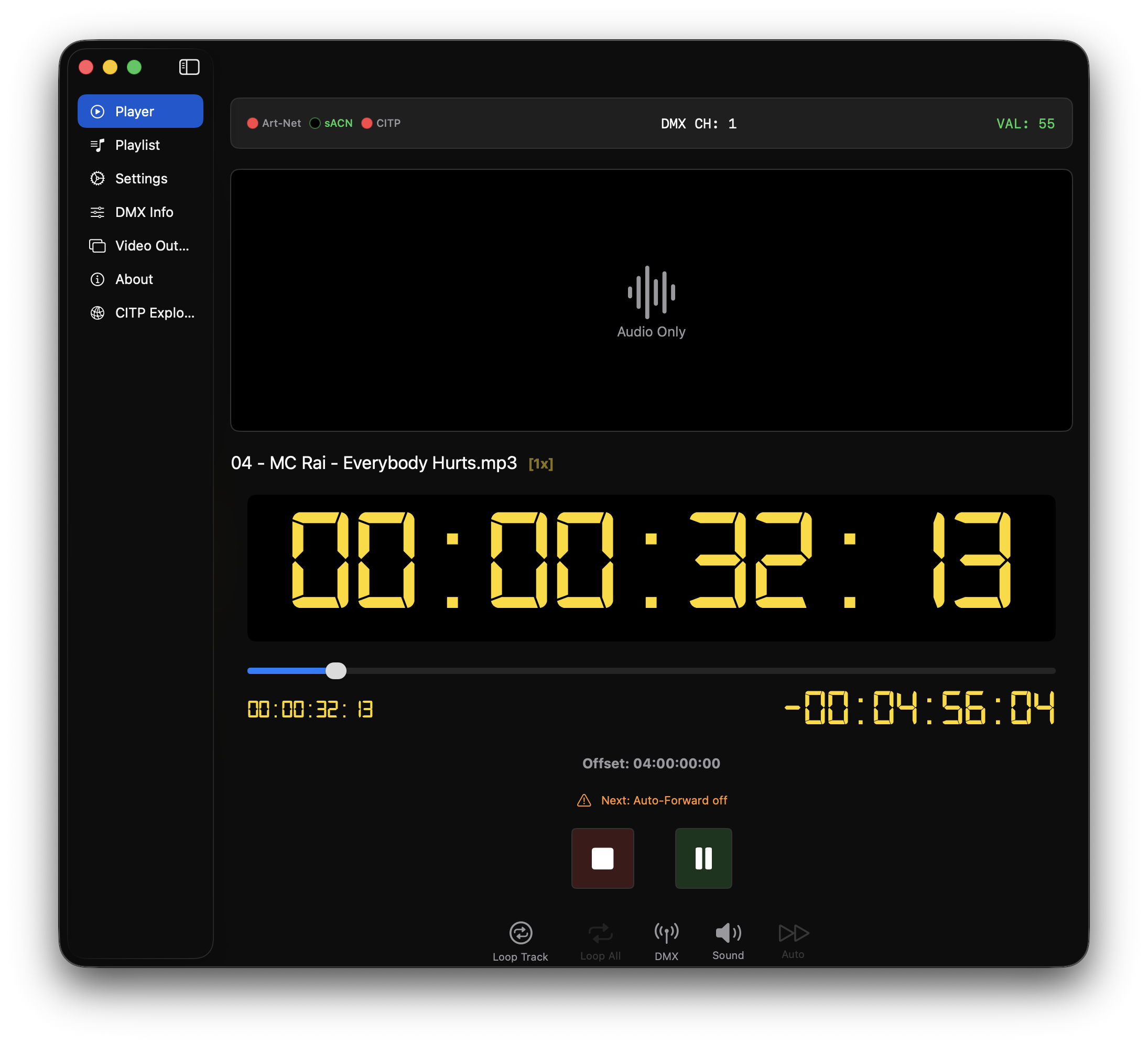
Main player window with timecode display and playback controls
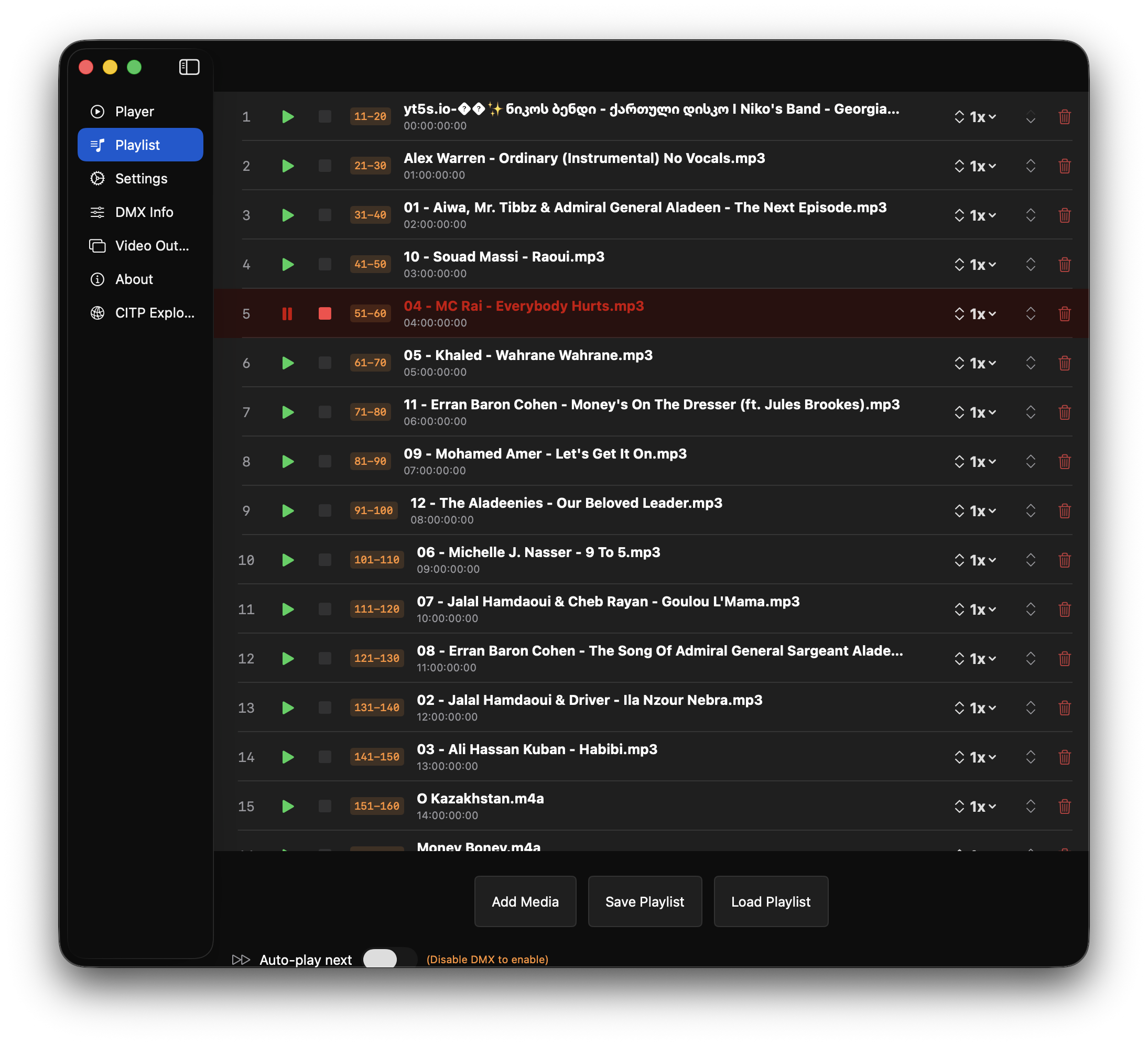
Playlist management with drag & drop support
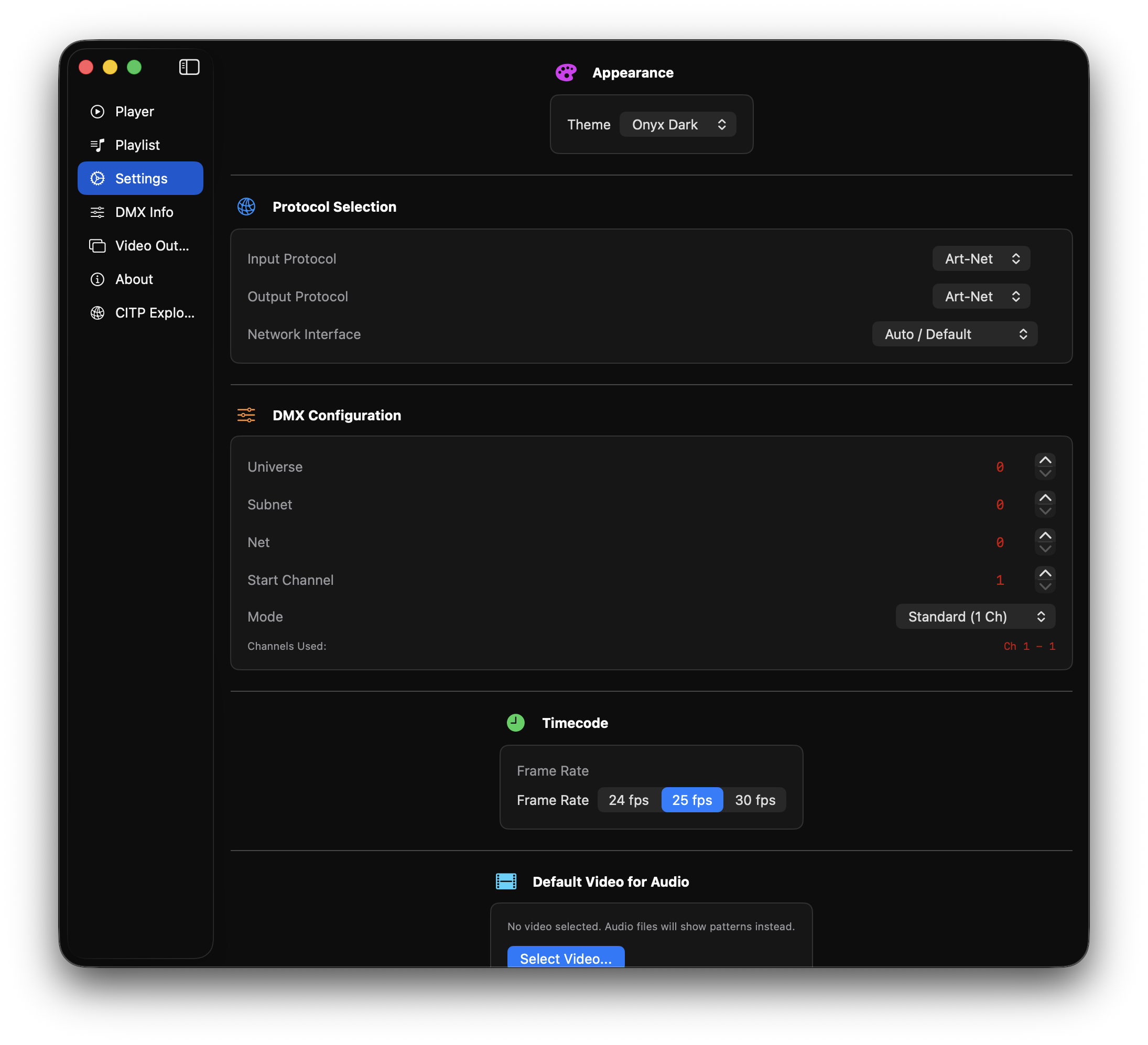
Configure DMX protocols, network settings, and more
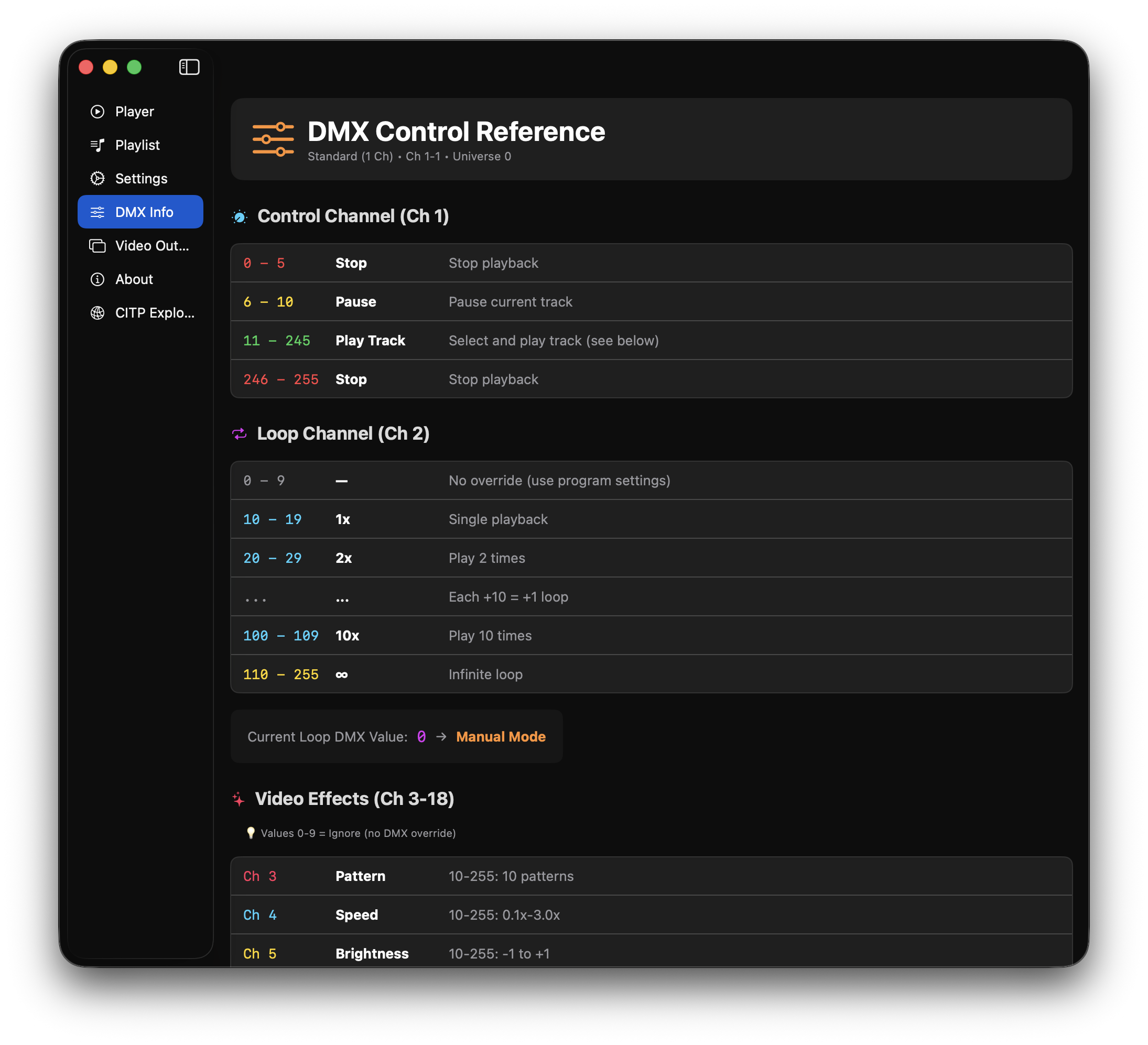
Detailed DMX channel mapping and fixture profile
Built-in web interface works on any device
Full playback control from your phone
Browse and select tracks remotely
Learn how to get the most out of DMX TimeCode Player
Video tutorials coming soon!
Subscribe to our
YouTube channel for updates.
No subscriptions. No limitations. Just download and use.
Download for macOSIf you find this app useful, you can support development with a donation.
Monthly support
Coming SoonOne-time donation
[Scan QR]
revolut.me/vladimcya
Greece instant transfer
bc1qzs9lfcycztaefslstsy0l9dpd4atuddwnnq3a0